
Inspect Workflow Inputs#
Ewoks workflows use input parameters that can be configured for each node. This tutorial demonstrates how to inspect and verify these input parameters using several methods.
We’ll use the demo workflow from the Ewoks test suite as an example. Convert it to JSON format with the following command:
ewoks convert demo example.json --test
Command-Line Inspection#
To view the input parameters defined in a workflow, use the ewoks show command:
ewoks show example.json
This displays all input parameters, their values, and the workflow node they belong to:
Workflow: example.json
Id: demo
Description: demo
╒════════╤════════════════╤═══════════════════╤═══════╕
│ Name   │ Value          │ Task identifier   │ Id    │
╞════════╪════════════════╪═══════════════════╪═══════╡
│ list   │ [0, 1, 2]      │ SumList           │ task0 │
├────────┼────────────────┼───────────────────┼───────┤
│ delay  │ 0              │ SumList           │ task0 │
├────────┼────────────────┼───────────────────┼───────┤
│ delay  │ 0              │ SumTask           │ task1 │
├────────┼────────────────┼───────────────────┼───────┤
│ b      │ <MISSING_DATA> │ SumTask           │ task1 │
├────────┼────────────────┼───────────────────┼───────┤
│ a      │ 2              │ SumTask           │ task2 │
├────────┼────────────────┼───────────────────┼───────┤
│ delay  │ 0              │ SumTask           │ task2 │
├────────┼────────────────┼───────────────────┼───────┤
│ b      │ <MISSING_DATA> │ SumTask           │ task2 │
├────────┼────────────────┼───────────────────┼───────┤
│ delay  │ 0              │ SumTask           │ task3 │
├────────┼────────────────┼───────────────────┼───────┤
│ b      │ 3              │ SumTask           │ task3 │
├────────┼────────────────┼───────────────────┼───────┤
│ delay  │ 0              │ SumTask           │ task4 │
├────────┼────────────────┼───────────────────┼───────┤
│ b      │ 4              │ SumTask           │ task4 │
├────────┼────────────────┼───────────────────┼───────┤
│ delay  │ 0              │ SumTask           │ task5 │
├────────┼────────────────┼───────────────────┼───────┤
│ delay  │ 0              │ SumTask           │ task6 │
├────────┼────────────────┼───────────────────┼───────┤
│ b      │ 6              │ SumTask           │ task6 │
╘════════╧════════════════╧═══════════════════╧═══════╛
Parameters with <MISSING_DATA> do not have a value. If a missing parameter is required, it is marked with a (*). For example:
Workflow: example.json
Id: demo
Description: demo
╒════════╤════════════════╤═══════════════════╤═══════╕
│ Name   │ Value          │ Task identifier   │ Id    │
╞════════╪════════════════╪═══════════════════╪═══════╡
│ a⁽*⁾   │ <MISSING_DATA> │ SumTask           │ task2 │
├────────┼────────────────┼───────────────────┼───────┤
│ list   │ [0, 1, 2]      │ SumList           │ task0 │
├────────┼────────────────┼───────────────────┼───────┤
│ delay  │ 0              │ SumList           │ task0 │
├────────┼────────────────┼───────────────────┼───────┤
│ b      │ <MISSING_DATA> │ SumTask           │ task1 │
├────────┼────────────────┼───────────────────┼───────┤
│ delay  │ 0              │ SumTask           │ task1 │
├────────┼────────────────┼───────────────────┼───────┤
│ b      │ <MISSING_DATA> │ SumTask           │ task2 │
├────────┼────────────────┼───────────────────┼───────┤
│ delay  │ 0              │ SumTask           │ task2 │
├────────┼────────────────┼───────────────────┼───────┤
│ b      │ 3              │ SumTask           │ task3 │
├────────┼────────────────┼───────────────────┼───────┤
│ delay  │ 0              │ SumTask           │ task3 │
├────────┼────────────────┼───────────────────┼───────┤
│ b      │ 4              │ SumTask           │ task4 │
├────────┼────────────────┼───────────────────┼───────┤
│ delay  │ 0              │ SumTask           │ task4 │
├────────┼────────────────┼───────────────────┼───────┤
│ delay  │ 0              │ SumTask           │ task5 │
├────────┼────────────────┼───────────────────┼───────┤
│ b      │ 6              │ SumTask           │ task6 │
├────────┼────────────────┼───────────────────┼───────┤
│ delay  │ 0              │ SumTask           │ task6 │
╘════════╧════════════════╧═══════════════════╧═══════╛
⁽*⁾ Value is required for execution.
In this case, the a parameter for task SumTask at node task2 is required and must be provided before execution.
Workflow nodes can be identified by:
Task identifier – the identifier of the code to be executed.
Label (if present) – a human-readable tag, which may not be unique.
If no labels are defined, the Label column is omitted from the output.
Validating Execution Arguments#
Workflow parameters can be overridden at execution time using one of the following options:
-pt TASK_ID:NAME=VALUE— apply to all nodes with the specified task identifier-pn NODE_ID:NAME=VALUE— apply to the node with the specified node id-pl LABEL:NAME=VALUE— apply to all nodes with the specified label-ps NAME=VALUE— apply to all start nodes-pa NAME=VALUE— apply to all nodes
For example, to target a specific task identifier:
ewoks execute example.json -pt SumTask:delay=99
Before executing the workflow, you can verify that your arguments are applied as intended using ewoks show with the same arguments:
ewoks show example.json -pt SumTask:delay=99
The output will reflect the overridden delay values:
Workflow: example.json
Id: demo
Description: demo
╒════════╤════════════════╤═══════════════════╤═══════╕
│ Name   │ Value          │ Task identifier   │ Id    │
╞════════╪════════════════╪═══════════════════╪═══════╡
│ list   │ [0, 1, 2]      │ SumList           │ task0 │
├────────┼────────────────┼───────────────────┼───────┤
│ delay  │ 0              │ SumList           │ task0 │
├────────┼────────────────┼───────────────────┼───────┤
│ delay  │ 99             │ SumTask           │ task1 │
├────────┼────────────────┼───────────────────┼───────┤
│ b      │ <MISSING_DATA> │ SumTask           │ task1 │
├────────┼────────────────┼───────────────────┼───────┤
│ a      │ 2              │ SumTask           │ task2 │
├────────┼────────────────┼───────────────────┼───────┤
│ delay  │ 99             │ SumTask           │ task2 │
├────────┼────────────────┼───────────────────┼───────┤
│ b      │ <MISSING_DATA> │ SumTask           │ task2 │
├────────┼────────────────┼───────────────────┼───────┤
│ delay  │ 99             │ SumTask           │ task3 │
├────────┼────────────────┼───────────────────┼───────┤
│ b      │ 3              │ SumTask           │ task3 │
├────────┼────────────────┼───────────────────┼───────┤
│ delay  │ 99             │ SumTask           │ task4 │
├────────┼────────────────┼───────────────────┼───────┤
│ b      │ 4              │ SumTask           │ task4 │
├────────┼────────────────┼───────────────────┼───────┤
│ delay  │ 99             │ SumTask           │ task5 │
├────────┼────────────────┼───────────────────┼───────┤
│ delay  │ 99             │ SumTask           │ task6 │
├────────┼────────────────┼───────────────────┼───────┤
│ b      │ 6              │ SumTask           │ task6 │
╘════════╧════════════════╧═══════════════════╧═══════╛
The -pt flag uses the task identifier as the target prefix in the format <taskid>:<parameter>=<value>, so -pt SumTask:delay=99 applies delay=99 to all nodes whose task identifier is SumTask.
Graphical Interfaces#
You can also inspect input parameters using graphical tools.
Desktop GUI#
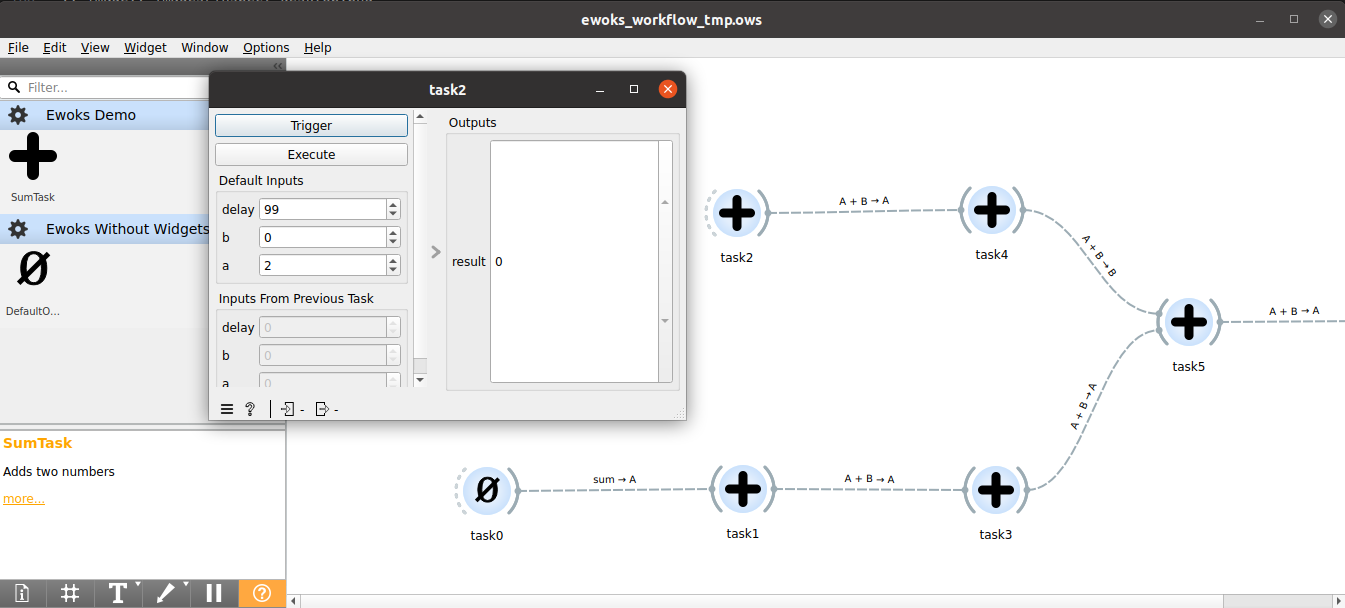
To use the desktop GUI based on Orange:
ewoks execute example.json --engine=orange -pt SumTask:delay=99
Then double-click on each node to inspect or edit parameters:
Web GUI#
To inspect parameters via the web interface:
Convert the workflow while applying overrides:
ewoks convert example.json example_with_params.json --test -pt SumTask:delay=99
Start the web server:
ewoksweb
You should see:
INFO: Uvicorn running on http://127.0.0.1:8000 (Press CTRL+C to quit)
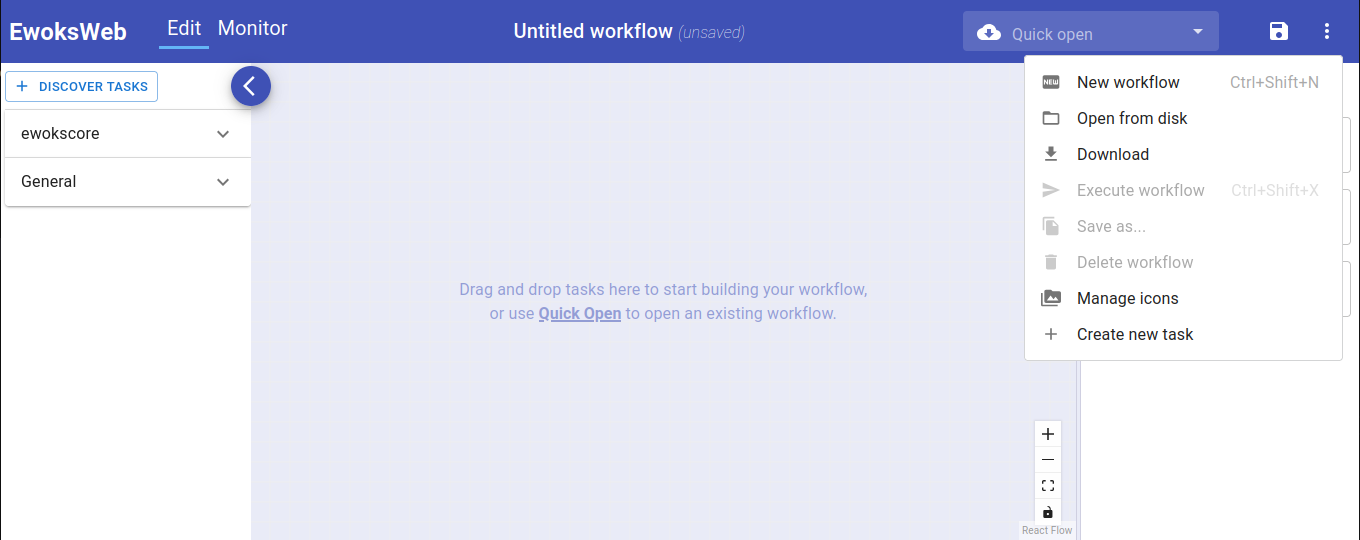
Open the workflow file in your browser:
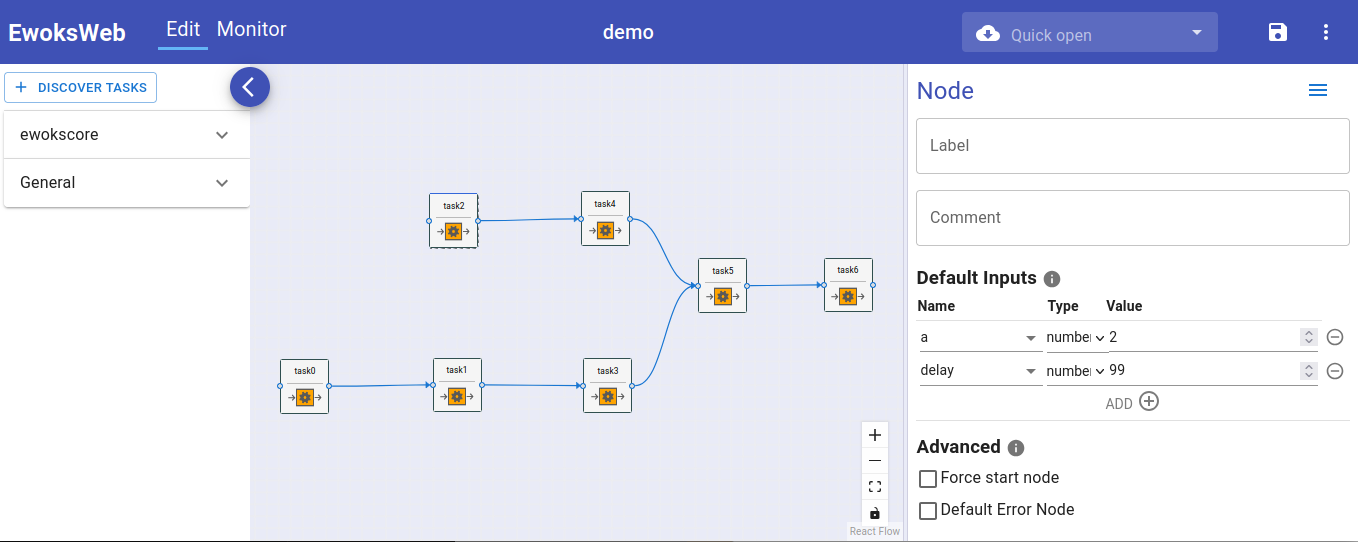
Click on a node to view or edit its parameters: